AI-Powered QR Code Design: Create Brand-Matched Codes in One Sentence (2026 Guide)
Use AI to generate professional, scannable QR codes that match your brand in seconds. Learn prompt strategies, color rules, logo placement, and how PixelQR Smart Brand Designer saves hours of manual work.

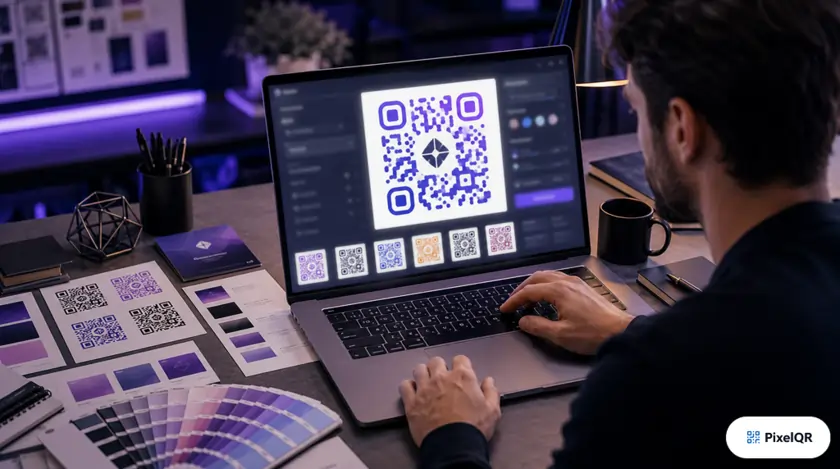
In 2026, the fastest-growing QR campaigns share one trait: they look unmistakably on-brand. Businesses using AI-powered QR design report up to 280% higher scan rates than generic black-and-white codes—because design and scanability no longer require a trade-off when AI handles the technical rules.
What Is AI-Powered QR Code Design?
Traditional QR customization means manually picking colors, patterns, corner styles, frames, and error correction—then testing whether the code still scans. AI-powered design flips that workflow: you describe your brand in plain language, and the system generates a scannable, brand-aligned QR code in seconds.
PixelQR Smart Brand Designer
PixelQR's AI Brand Designer accepts a one-sentence brand description—industry, tone, colors, audience—and instantly produces a professional QR layout with optimized contrast, pattern selection, frame text, and logo-safe error correction.
- ✓ Brand-matched color palettes with 40%+ contrast
- ✓ Pattern and corner styles that preserve scan zones
- ✓ CTA frames ("Scan to Shop", "Get Offer")
- ✓ Reusable brand templates for campaign consistency
How to Write Effective AI Brand Prompts
Better prompts produce better QR designs. Include these four elements every time:
1. Industry & Audience
"Luxury skincare brand targeting women 30–50" or "B2B SaaS for finance teams."
2. Brand Personality
"Minimal and premium" vs "Bold, playful, startup energy."
3. Color Direction
"Deep navy and gold accents" or "Eco green with white background."
4. Use Context
"Product packaging at arm's length" or "Trade show booth signage."
Example prompt:
"Modern organic coffee roaster, warm earth tones, artisan feel, QR for retail bags scanned at checkout counter."
AI Design vs Manual Design: When Each Wins
| Scenario | AI Design | Manual Tweaks |
|---|---|---|
| New campaign, tight deadline | Best | Slow |
| Strict brand guidelines (Pantone) | Good start | Refine colors |
| Bulk CSV generation (500+ codes) | Essential | Impractical |
| Logo-heavy center embed | Sets H-level EC | Verify scan test |
5 Rules AI Still Needs You to Verify
- 1.Minimum size: 2 cm × 2 cm for print; larger for outdoor or distance scanning.
- 2.Quiet zone: Keep a clear white margin—never crop the border.
- 3.Logo coverage: Center logo should not exceed 30% of code area.
- 4.Test on real devices: iPhone and mid-range Android before mass print.
- 5.Pair with dynamic URLs: Branded design + editable destination = long-term ROI.
2026 Workflow: From Prompt to Campaign
1
Describe brand in one sentence
2
AI generates design + scan score
3
Upload logo, save as template
4
Export PNG/SVG, track analytics
Start Designing with AI Today
Open PixelQR, enter your brand description, and generate a scannable QR code in under 30 seconds—no design degree required.
Create AI-Branded QR Code →