AR Product QR Codes: Let Customers Preview Products in Real Space Before They Buy
Augmented reality QR codes let shoppers place 3D products in their room before purchasing. Learn retail use cases, setup workflow, conversion benchmarks, and how to launch AR campaigns with PixelQR.

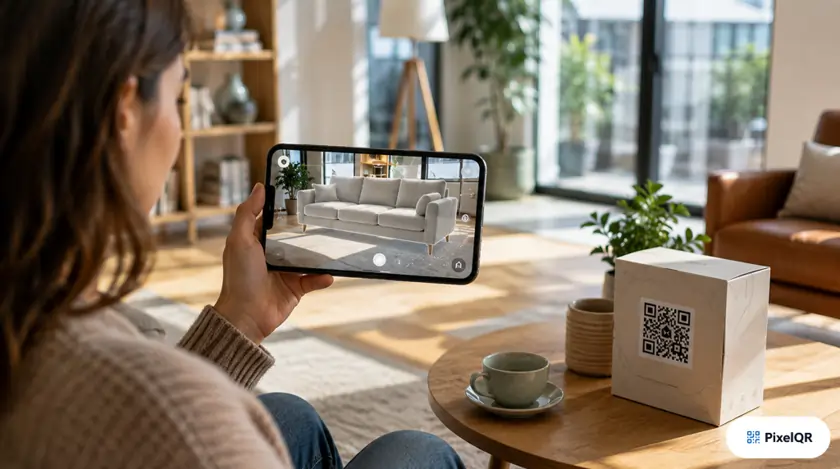
61% of online shoppers hesitate on furniture, décor, and electronics because they cannot see products in their own space. AR product QR codes solve that gap: one scan places a 3D model in the customer's room via their phone camera—no app download required on supported browsers.
How AR Product QR Codes Work
An AR product QR code links to a WebXR or model-viewer experience. When scanned, the customer's phone opens an augmented reality session where they can scale, rotate, and place your 3D product against their real environment.
1
Scan QR Code
On packaging, shelf tag, catalog, or email
2
Place in Room
Tap surface, drag to position, pinch to scale
3
Buy with Confidence
CTA to cart, store locator, or sales rep
Industries Seeing the Highest AR QR ROI
| Industry | Avg. Conversion Lift | Return Reduction | Best Placement |
|---|---|---|---|
| Furniture & Home | +38% | -22% | Showroom tags, catalogs |
| Consumer Electronics | +27% | -15% | Retail displays, unboxing inserts |
| Fashion & Accessories | +19% | -11% | Window displays, lookbooks |
| Automotive Parts | +31% | -18% | Parts counter, service bays |
Setting Up AR Product QR with PixelQR
-
Upload your 3D model
GLB or USDZ format works best. Optimize under 15 MB for fast mobile load. Include real-world scale metadata.
-
Configure the AR viewer
Set default placement, lighting, and post-AR CTA (buy now, find dealer, book demo).
-
Brand your QR code
Use high contrast and H-level error correction. Add frame text: "See it in your room."
-
Track AR sessions in analytics
Measure scans, AR launch rate, time in AR, and conversion to purchase.
AR QR Best Practices for 2026
Do
- ✓ Provide fallback 2D product gallery for unsupported devices
- ✓ Keep AR load under 3 seconds on 4G
- ✓ Use dynamic QR so you can update models without reprinting
- ✓ Add instructional overlay on first AR launch
Avoid
- ✗ Overly complex 3D models that drain battery
- ✗ Requiring app install before AR preview
- ✗ Tiny QR codes on glossy packaging
- ✗ Static QR when product SKUs change seasonally
Launch Your First AR Product QR
Upload a 3D model, generate a branded AR QR code, and let customers preview products before they commit to buy.