Event Management with QR Codes: From Ticketing to Post-Event Analytics
Complete event QR code guide covering ticketing, check-in, networking, sponsor tracking, and post-event engagement. Save $30K+ per event with digital solutions.

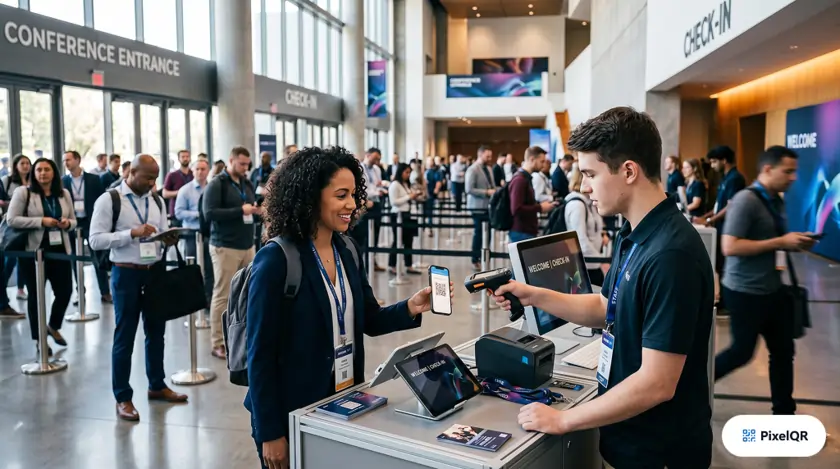
Event organizers save $30,000+ per event by replacing physical materials with QR-powered digital experiences. From ticketing and express check-in to networking, session tracking, and post-event follow-up, QR codes streamline every phase of event management while delivering real-time analytics your team can act on. This guide walks through the complete event QR framework and where the biggest cost savings come from.
Event QR Code Benefits at a Glance
Whether you run a 200-person nonprofit gala or a 10,000-attendee conference, QR codes replace slow manual processes with instant mobile actions. Attendees already carry scanners in their pockets; your job is to connect those scans to the right digital experience at each event phase.
Check-in time
Savings per event
Attendance tracking
Counterfeit tickets
Complete Event QR Code Framework
Think of event QR codes in four phases: pre-event registration, day-of operations, in-event engagement, and post-event follow-up. Each phase uses different code types—unique per attendee for tickets, static codes for venue maps, dynamic codes for schedules that may change.
Pre-event: Registration and ticketing
QR codes transform event registration into a seamless digital experience. Every attendee receives a unique code linked to their registration record.
- Dynamic tickets — unique QR per attendee, updateable for changes, anti-counterfeiting protection.
- VIP management — early access codes, special permissions, group check-in for delegations.
- Email and wallet delivery — send codes in confirmation emails and add to Apple Wallet or Google Wallet for one-tap access.
Day-of: Check-in and navigation
Reduce check-in time from 45 seconds to under 3 seconds per attendee. Staff scan codes at express lanes; attendees scan venue codes for maps and live schedule updates.
- Express lanes for pre-registered guests.
- Session attendance tracking by scanning room-entry codes.
- Interactive venue maps linked from signage at entrances.
- Real-time schedule updates via dynamic QR—no reprinting when sessions move.
During event: Networking and engagement
Facilitate meaningful connections between attendees and keep energy high between sessions.
- Networking — digital badge scanning, contact exchange via QR, LinkedIn connection codes.
- Engagement — session feedback collection, live polls and Q&A, gamification and scavenger hunts.
- Sponsor activation — booth scan codes that log visits and deliver lead-capture forms.
Post-event: Follow-up and analytics
The event does not end when the doors close. QR codes on exit signage and follow-up emails extend the relationship and feed your next planning cycle.
- Instant survey collection while experience is fresh.
- Presentation and resource downloads without email attachments.
- Attendee behavior analytics across sessions and zones.
- Sponsor ROI tracking with verified scan and lead data.
Cost Savings Breakdown
For a typical 1,000-attendee conference, QR-first operations eliminate or reduce several high-cost line items. Savings compound across print, labor, and postage.
| Line item | Estimated savings |
|---|---|
| Printed programs eliminated | $8,000 |
| Badge printing reduced | $3,500 |
| Check-in staff reduction | $12,000 |
| Post-event mailing avoided | $6,500 |
| Total savings | $30,000+ |
Figures based on a 1,000-attendee event replacing printed programs, reducing on-site check-in staff by two full-time equivalents, and shifting post-event materials to digital delivery.
Where to Deploy QR Codes at Your Event
Placement drives adoption. Put codes where attendees naturally pause: registration, session doors, catering areas, and exits.
Implementation Checklist
- Choose your event platform — confirm your ticketing or registration system supports unique QR per attendee or export attendee lists for bulk code generation.
- Generate codes in PixelQR — use dynamic codes for schedules and static attendee tickets; brand with your event logo and colors.
- Test under venue conditions — scan at the actual venue with multiple phone models; dim lighting and glossy badges are common failure points.
- Train staff and volunteers — brief check-in teams on express lanes, offline backup lists, and how to assist attendees who cannot scan.
- Monitor live analytics — watch check-in velocity, session scans, and sponsor booth traffic from the PixelQR dashboard during the event.
- Send post-event follow-up — email a single QR linking to slides, survey, and next-year early-bird registration within 24 hours.
Static vs Dynamic Codes for Events
| Use case | Recommended type | Why |
|---|---|---|
| Attendee ticket | Static (unique per person) | Fixed ID tied to registration; no redirect needed |
| Live schedule | Dynamic | Update sessions without reprinting signage |
| Venue map | Dynamic | Fix room changes and add sponsor overlays mid-event |
| Post-event survey | Dynamic | Track scan source and close survey when quota is met |
| WiFi credentials | Static | Network SSID and password do not change |
Best Practices for Event QR Success
- Print attendee codes at least 2 cm × 2 cm on badges; larger on signage.
- Add a text CTA: "Scan for today's schedule" or "Scan to check in."
- Keep a printed backup list for VIPs and accessibility needs.
- Use high-contrast codes on badges—avoid dark-on-dark lanyard designs.
- Separate QR codes per session so attendance data stays accurate.
- Close the loop with a post-event email within 24 hours while recall is high.
Who Benefits Most from Event QR Codes
Conferences and trade shows
Session tracking, exhibitor lead capture, and real-time schedule updates without reprinting programs for every room change.
Nonprofit galas and fundraisers
Express check-in, table-based donation QR codes, and auction paddle registration linked to the same attendee record.
Concerts and festivals
Anti-counterfeit ticketing, cashless vendor links, and crowd-safe digital programs that update when stages or set times shift.
Corporate meetings and offsites
vCard exchange between colleagues, WiFi onboarding, and confidential materials distributed via access-controlled dynamic links.
Frequently Asked Questions
What if venue WiFi fails during check-in?
Use a check-in app or scanner that caches validations locally, or keep a CSV export of registered attendees as backup. Test offline mode before event day.
Can one QR code work for every attendee?
No—for ticketing and attendance you need unique codes per person. Shared codes are fine for schedules, maps, and general surveys.
How do we prevent ticket sharing or fraud?
Issue single-use or time-limited dynamic codes tied to registration IDs. Mark codes as redeemed at first scan so they cannot be reused.
Can we generate hundreds of attendee codes at once?
Yes. PixelQR supports bulk CSV generation—upload your attendee list and download branded codes for email, badges, or print.
When should we send the post-event survey QR?
Within 24 hours. Display the same code on exit signage during the event so attendees can respond before they leave, then follow up by email the next morning.
Power Your Next Event with QR Codes
Create professional event QR codes for ticketing, check-in, networking, and post-event follow-up. Save thousands in print and labor while giving attendees a faster experience.