Healthcare QR Codes: Improve Patient Experience & HIPAA Compliance
Implement QR codes in healthcare safely. Patient check-in, medical records access, prescription information, appointment scheduling, and HIPAA compliance guidelines.

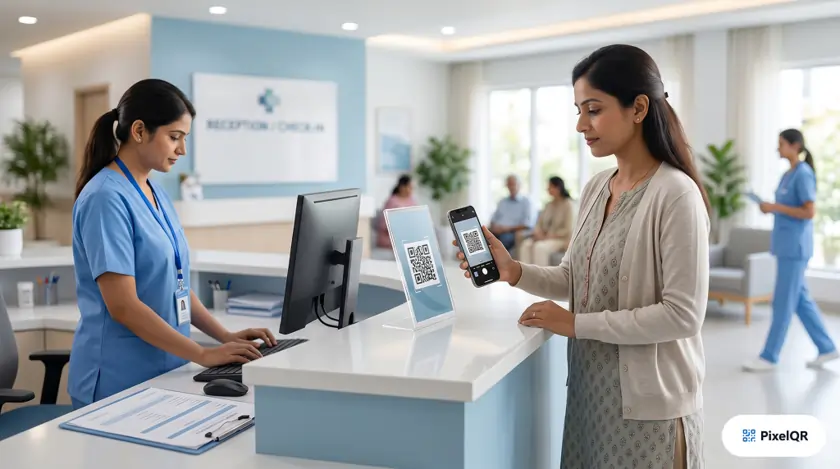
Healthcare organizations implementing QR codes report 40% faster patient check-ins, 67% reduction in paperwork, and significantly improved patient satisfaction scores. This guide covers how to implement QR codes safely while maintaining HIPAA compliance—and how to improve the patient experience from arrival through follow-up care.
Healthcare QR Code Benefits at a Glance
Faster check-ins
Less paperwork
Patient satisfaction
HIPAA compliant when done right
Why Healthcare Is Adopting QR Codes in 2026
Patients expect the same digital convenience they get from retail and banking. Long wait times, clipboards full of duplicate forms, and confusing discharge instructions create friction that directly affects satisfaction scores and operational costs.
QR codes bridge the gap between physical care settings and secure digital workflows. A single scan can route a patient to check-in, education, billing, or follow-up—without staff manually re-entering the same information at every touchpoint.
Operational Impact
Clinics that digitize intake through QR-linked forms typically reduce front-desk bottlenecks during peak hours. Staff spend less time on data entry and more time on patient-facing care. Average check-in time drops from roughly 8 minutes to under 2 minutes when pre-visit forms are completed on the patient's own device before arrival.
Healthcare QR Applications
Patient Check-In
QR codes at reception enable contactless check-in. Patients scan to confirm arrival, update information, and complete pre-visit forms on their own devices.
Result: Average check-in time reduced from 8 minutes to under 2 minutes. Waiting rooms stay calmer when intake happens before the patient reaches the desk.
Prescription Information
QR codes on prescription labels link to drug information, interaction warnings, dosage instructions, and refill requests—without cramming fine print onto a small label.
- Video instructions for proper usage
- Multi-language support for diverse patient populations
- One-tap refill requests routed to the pharmacy portal
Appointment Scheduling
QR codes in waiting rooms and on appointment cards enable easy scheduling, rescheduling, and calendar integration. Patients who miss a slot can rebook immediately instead of playing phone tag with scheduling staff.
Patient Education
Link to educational content about conditions, procedures, and treatment plans. Improves patient understanding and treatment adherence—especially for post-discharge instructions that are easy to forget once the patient leaves the building.
Additional High-Value Use Cases
HIPAA Compliance Requirements
QR codes themselves are not inherently HIPAA compliant or non-compliant—it depends entirely on what data they expose and how destinations are secured. The golden rule: treat every QR code as a doorway, not a filing cabinet.
Critical: PHI Protection
Never encode Protected Health Information (PHI) directly in QR codes. QR codes should only contain links to authenticated, secure systems. A code printed on a wristband or handout can be photographed, copied, or shared—anything embedded in the pattern is effectively public.
HIPAA Compliance Checklist
- All data transmission over HTTPS/TLS encryption
- No PHI encoded directly in QR codes
- Authentication required for sensitive information access
- Access logging and audit trails maintained
- BAA (Business Associate Agreement) with QR provider
- Regular security assessments and staff training
| Use Case | Static QR | Dynamic QR | Notes |
|---|---|---|---|
| Guest WiFi | Yes | Optional | No PHI; static is fine |
| General education pages | Yes | Yes | Use dynamic to update content |
| Patient portal login | No | Yes | Must require authentication |
| Lab results | No | Yes | Never expose PHI in the code itself |
Implementation Roadmap
- Audit current patient touchpoints — Identify where paper forms, long waits, or confusing instructions create friction.
- Prioritize low-risk pilots — Start with education links, wayfinding, or WiFi before patient-specific workflows.
- Work with compliance and IT — Confirm BAA coverage, authentication flows, and audit logging before launch.
- Design for accessibility — Large codes, high contrast, clear labels ("Scan to check in"), and staff backup for patients without smartphones.
- Train front-desk and clinical staff — Staff should know what each code does and how to assist patients who need help.
- Measure and iterate — Track check-in times, form completion rates, and satisfaction scores; adjust placements and copy based on data.
Who Benefits Most in a Healthcare Setting
Outpatient clinics and primary care
High daily patient volume makes check-in automation especially valuable. QR-linked intake forms reduce duplicate data entry and shorten lines at peak morning hours.
Hospitals and multi-specialty campuses
Wayfinding codes on signage help visitors reach the correct wing without stopping staff for directions. Discharge folders with education QR codes improve adherence when patients are overwhelmed at checkout.
Pharmacies and specialty pharmacies
Prescription label codes deliver dosing videos and interaction warnings in the patient's preferred language— far more effective than tiny printed inserts alone.
Dental and vision practices
Appointment reminders, post-procedure care instructions, and review-collection links fit naturally on appointment cards and take-home bags with minimal setup.
Best Practices for Healthcare QR Codes
- Print codes at least 2 cm × 2 cm and test under typical waiting-room lighting.
- Add plain-language CTAs: "Scan to complete check-in," "Scan for medication instructions."
- Use dynamic codes for content that changes (hours, policies, seasonal flu info).
- Keep a non-digital fallback for every critical workflow—not every patient owns or can use a smartphone.
- Review linked pages on mobile devices monthly; broken links erode trust quickly in healthcare settings.
- Document which codes map to which systems so updates do not accidentally point to outdated forms.
Frequently Asked Questions
Are QR codes HIPAA compliant?
QR codes can be used in HIPAA-regulated environments when they link to secure, authenticated systems and never embed PHI in the code itself. Work with your compliance team and ensure your QR platform can sign a BAA if it processes or routes protected data.
Can elderly patients use QR codes effectively?
Yes, with thoughtful design. Large codes, simple instructions, and staff assistance at the desk make adoption high across age groups. Smartphone ownership among adults 65+ continues to rise, and native camera scanning requires no app installation.
Should we use static or dynamic QR codes in healthcare?
Use static codes for fixed, non-PHI data like guest WiFi. Use dynamic codes when destinations change, when you need scan analytics, or when printed materials cannot be reissued frequently (posters, prescription handouts, lobby signage).
What if a patient refuses to use their phone?
Always maintain a paper or staff-assisted path. QR codes should accelerate workflows for willing users, not block care for anyone else. Kiosk tablets or front-desk tablets can offer the same forms without requiring a personal device.
How do we prevent unauthorized access via a photographed QR code?
Never put PHI in the QR pattern. Link only to login pages or tokenized, time-limited URLs that require patient authentication. Session timeouts and audit logs add additional layers of protection.
Improve Patient Experience with PixelQR
Create secure, compliant QR codes for check-in, education, and patient communication—without adding complexity for your staff.