PixelQR vs Other QR Code Generators
QR codes in 2026 demand analytics, editability, brand design, and reliability. Learn how PixelQR delivers smart QR codes that scan reliably and deliver measurable results from day one.

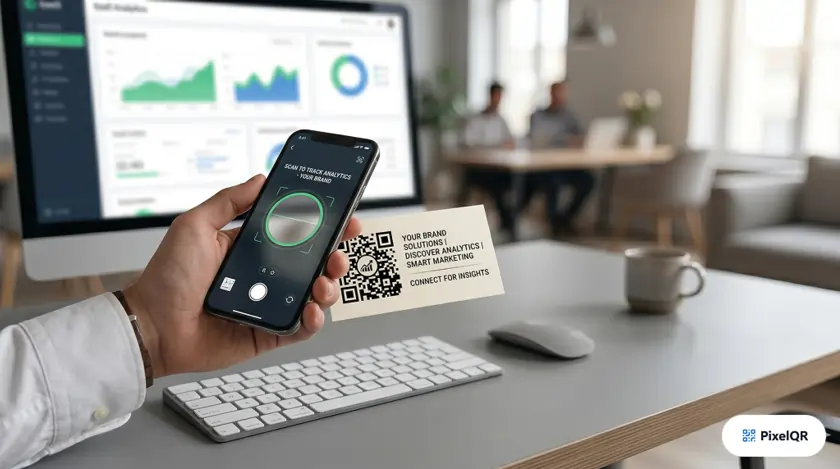
QR codes are no longer a novelty—they are a standard channel for connecting physical touchpoints to digital experiences. In 2026, the difference between a basic QR generator and a smart one comes down to analytics, editability, brand design, reliability, and how quickly your team can launch campaigns without developers. PixelQR was built for that reality: professional QR codes that look on-brand, scan reliably, and give you measurable results from day one.
Why “Smart” Matters in 2026
A static black-and-white code that links to a desktop website was enough in 2018. It is not enough today. Consumers expect instant mobile experiences. Marketers expect scan data. Operations teams expect to change destinations without reprinting thousands of labels. Security-conscious organizations expect encryption, access control, and compliance-ready infrastructure.
A smart QR code platform treats every code as a living campaign asset—not a one-time image file. That shift is why businesses moving to PixelQR report higher scan rates, faster rollout times, and clearer attribution across channels.
Annual global QR scans
Smartphones scan natively
Higher engagement with branded codes
Average time to create a code
What Makes PixelQR a Smart Generator
PixelQR combines creation, customization, distribution, and measurement in one workflow. Instead of juggling a design tool, a URL shortener, and a separate analytics dashboard, your team manages everything from a single platform built specifically for QR campaigns.
Dynamic codes you can edit after printing
Dynamic QR codes route through a short link you control. Change the destination URL, swap a PDF, redirect to a seasonal promotion, or pause a campaign—all without generating a new code or reprinting materials. For retail, events, and product packaging, that flexibility alone can save thousands in production costs per year.
Real-time analytics built in
Every dynamic scan is logged with useful context: total and unique scans, geographic breakdown, device and browser data, and timestamps. Use this to compare placements (poster vs. receipt vs. table tent), measure campaign windows, and justify marketing spend with hard numbers instead of assumptions.
Brand-first design without a designer
PixelQR supports custom colors, logo placement, pattern styles, gradient options, and framed call-to-action labels. Codes remain scannable because the platform checks contrast and error correction while you design. Branded codes consistently outperform plain black-and-white squares because they look intentional—not like an afterthought.
Live scanability scoring
Before you send a file to print, PixelQR evaluates scan reliability: contrast ratio, quiet zone, logo size, and error correction level. Catching a bad code pre-press is far cheaper than discovering it on 10,000 shipped packages.
AI-assisted landing pages
Not every business has a mobile-optimized destination ready on day one. PixelQR can generate simple, mobile-friendly landing pages—menus, contact blocks, social links, offers—so your QR code leads somewhere useful immediately, even if your main website is still being updated.
20+ QR Code Types for Real Business Use Cases
Generic URL codes cover a fraction of what teams actually need. PixelQR supports specialized formats so one platform serves marketing, operations, and customer support.
Whether you are a restaurant publishing a menu, a sales rep sharing a vCard at a conference, or a nonprofit collecting mobile donations, the same account handles every format with consistent branding and analytics.
Who PixelQR Is Built For
Small businesses and local brands
Launch review-collection codes, WiFi guest access, and promotional offers without agency fees. The free tier includes unlimited static codes plus core customization—enough for most day-to-day needs.
Marketing teams
Run print, OOH, and event campaigns with trackable dynamic codes. Compare creative variants, measure geographic performance, and iterate destinations mid-campaign when messaging changes.
Restaurants and hospitality
Digital menus, reservation links, and feedback flows that update when prices or items change. No need to reprint laminated menus every time the kitchen adjusts a special.
Enterprises and operations
Bulk generation from CSV, API access for system integration, custom short-link domains, and white-label options for agencies managing multiple clients.
Nonprofits and community organizations
Mobile-first donation pages, event check-in, and peer-to-peer fundraising links—optimized for the 45-second giving window when supporters are emotionally engaged.
Free vs Pro Plan: What You Get
| Capability | Free | Pro |
|---|---|---|
| Unlimited static QR codes | Yes | Yes |
| Dynamic QR codes with analytics | Included | Unlimited |
| Custom colors, logos & patterns | Yes | Yes |
| High-resolution PNG, SVG, PDF export | Yes | Yes |
| Bulk CSV generation | Limited | Yes |
| Custom short-link domain | No | Yes |
| API access | Basic | Full |
| White-label / remove branding | No | Yes |
Pro plans start at $19/month ($15/month billed yearly)—far less than reprinting a single botched campaign.
How to Create Your First Smart QR Code
- Sign up free at PixelQR—no credit card required for the starter plan.
- Choose a QR type matched to your goal (URL, vCard, WiFi, review link, menu PDF, etc.).
- Enter your content and pick dynamic if you want analytics or future edits.
- Customize the design with brand colors and an optional centered logo.
- Run the scanability check and preview on both iOS and Android if possible.
- Download in the format your printer or digital channel needs (PNG for web, SVG for large format, PDF for handoff).
- Deploy and monitor scans from the analytics dashboard; adjust the destination as results come in.
Best Practices for 2026 Campaigns
- Always link to a mobile-optimized page. More than 90% of scans happen on phones.
- Print codes at least 2 cm × 2 cm for arm's-length scanning; scale up for posters and billboards.
- Add a short text CTA next to the code: “Scan for menu,” “Scan to leave a review,” “Scan to donate.”
- Use dynamic codes for anything that might change; reserve static codes for fixed data like WiFi credentials.
- Test under real lighting before a large print run—glossy stock and low contrast are the most common failures.
- Review analytics weekly during active campaigns; a underperforming placement is cheaper to fix early.
Frequently Asked Questions
Do people still need a QR scanner app?
No. iPhone and Android camera apps have built-in QR scanning. Users point, tap the notification, and land on your page.
Can I change where a printed QR code goes?
Yes, with dynamic codes. The printed image stays the same; you update the redirect target in your PixelQR dashboard.
Will my logo break scanning?
Not if you follow PixelQR’s scanability guidance. The platform uses appropriate error correction and warns when contrast or logo size is risky.
Is PixelQR suitable for developers?
Yes. A REST API supports programmatic creation, updates, and analytics retrieval for apps, CRMs, and automated workflows.
How is PixelQR different from basic free generators?
Basic tools output a static image. PixelQR adds dynamic routing, analytics, brand design, reliability checks, bulk tools, and optional API access—everything needed to run campaigns professionally.
Start Building Smarter QR Codes Today
PixelQR gives you branded, trackable, editable QR codes in minutes—not days. Create your first code free and see why thousands of businesses chose a smarter generator for 2026.