vCard QR Codes: Complete Guide to Digital Business Cards That Convert
Create professional digital business cards with vCard QR codes. Design tips, contact information optimization, networking strategies, and analytics tracking.

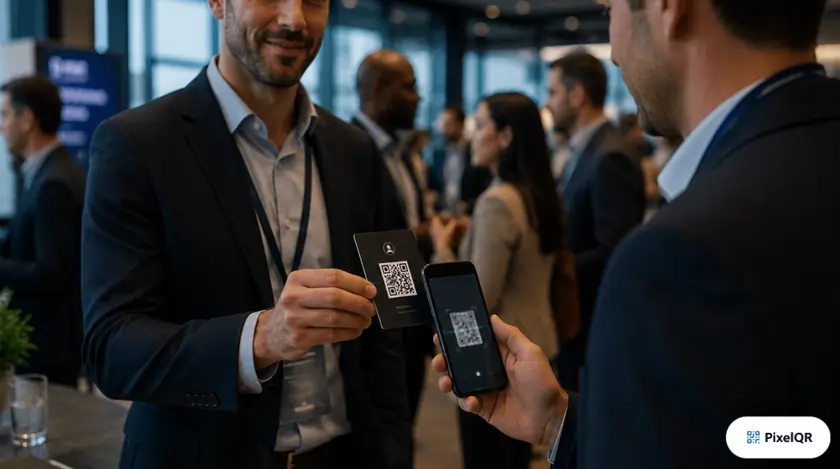
Paper business cards have an 88% disposal rate within one week. Digital vCard QR codes achieve 94% contact retention and 34% higher callback rates. In 2026, professionals who master digital business cards gain a significant networking advantage.
Why vCard QR Codes Win
Contact retention rate
Higher callback rates
Time to save contact
What is a vCard QR Code?
A vCard QR code encodes your contact information in a standardized format (VCF) that smartphones can instantly recognize and import. When scanned, the contact is automatically added to the phone's address book—no typing, no errors, no lost information.
How It Works
Point camera at code
See contact details
One tap to add
Essential vCard Information
A professional vCard should include comprehensive contact information while remaining scannable. Here's what to include:
Core Information
- Full Name & Title — Professional name as you want it saved
- Company Name — Organization you represent
- Primary Phone — Include country code for international contacts
- Email Address — Professional email preferred
- Website URL — Company or personal portfolio
Enhanced Information
- LinkedIn Profile — Professional networking essential
- Physical Address — Office location for meetings
- Secondary Phone — Mobile vs office distinction
- Profile Photo — Helps recipients remember you
- Personal Note — Tagline or specialty area
Strategic vCard Usage
Email Signatures
Add your vCard QR code to email signatures. Recipients can scan directly from their screen using another device, or click to download the vCard file.
Pro Tip: Use a dynamic QR code so you can update your information without changing your email signature.
Conference & Event Badges
Print your vCard QR code on name badges or lanyards. Enables instant networking without the awkward paper card exchange or fumbling with phones.
Pro Tip: Use a lanyard holder that displays the QR code prominently. Add "Scan to Connect" text for clarity.
Presentation Slides
Add your vCard QR to the final slide of presentations. Attendees can quickly save your contact while your information is fresh in their minds.
Pro Tip: Display for at least 30 seconds and verbally invite attendees to scan for follow-up questions.
vCard QR Design Best Practices
Do This
- Include your logo in the center (max 30% coverage)
- Use your brand colors while maintaining contrast
- Add "Scan to Save Contact" call-to-action
- Keep minimum 2cm size for print materials
- Test on multiple devices before printing
Avoid This
- Including too much data (slows scanning)
- Low contrast color combinations
- Oversized logos blocking data patterns
- Tiny QR codes that are hard to scan
- Complex backgrounds behind the code
vCard QR vs Paper Business Cards
| Factor | vCard QR | Paper Cards |
|---|---|---|
| Contact Retention | 94% | 12% |
| Callback Rate | +34% | Baseline |
| Update Capability | Instant updates | Reprint required |
| Environmental Impact | Zero waste | 10B cards/year |
| Ongoing Cost | $0–15/mo | $50–200/order |
Frequently Asked Questions
What is the difference between a vCard QR code and a regular QR code?
A vCard QR code encodes contact information in the standardized VCF format, allowing smartphones to instantly import your details into their address book. Regular QR codes typically link to websites or other content rather than directly saving contact data.
Should I use a static or dynamic vCard QR code?
Dynamic vCard QR codes are recommended for professionals who may change roles, phone numbers, or email addresses. You can update your contact information without reprinting business cards, badges, or email signature assets—and track who scans your code.
Do vCard QR codes work on all smartphones?
Yes. Both iOS and Android natively support vCard QR codes through their built-in camera apps. When scanned, users see a contact preview and can save with one tap. Test your code on both platforms before printing or distributing widely.
Create Your Digital Business Card
Generate a professional vCard QR code in seconds. Update your information anytime, track scans, and make networking effortless.